Home
Products ThriveMap Available now Eat What? Available now Cadentra Coming soon Business Analytics Pro Public pilot Business Insights In preparation All products

Our Approach Contact Get ThriveMap

Eat What? by LumoBridge

Available now

Your food has some explaining to do.

Take a photo of an ingredient list. Eat What? reads it on your device, lets you check the words, and tells you what each ingredient is and why it is used, with the page it came from.

  • Photos stay on your device
  • Works offline after your first scan
  • Every answer shows its source
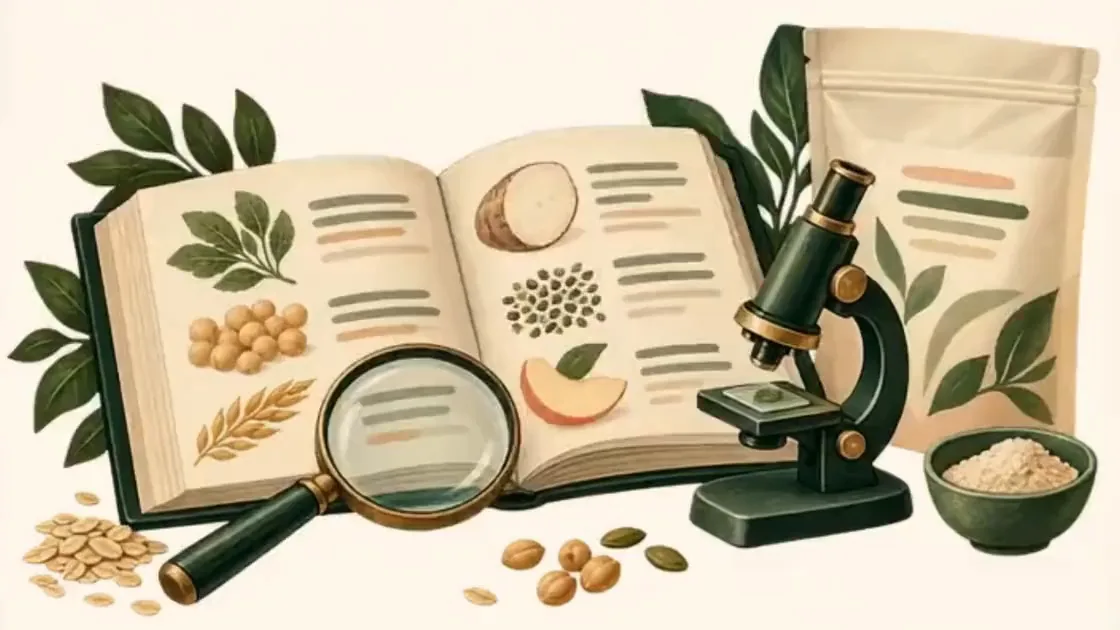
Illustration of a shopper reading a very long ingredient label through a magnifying glass

How it works

Three steps, right in the store aisle.

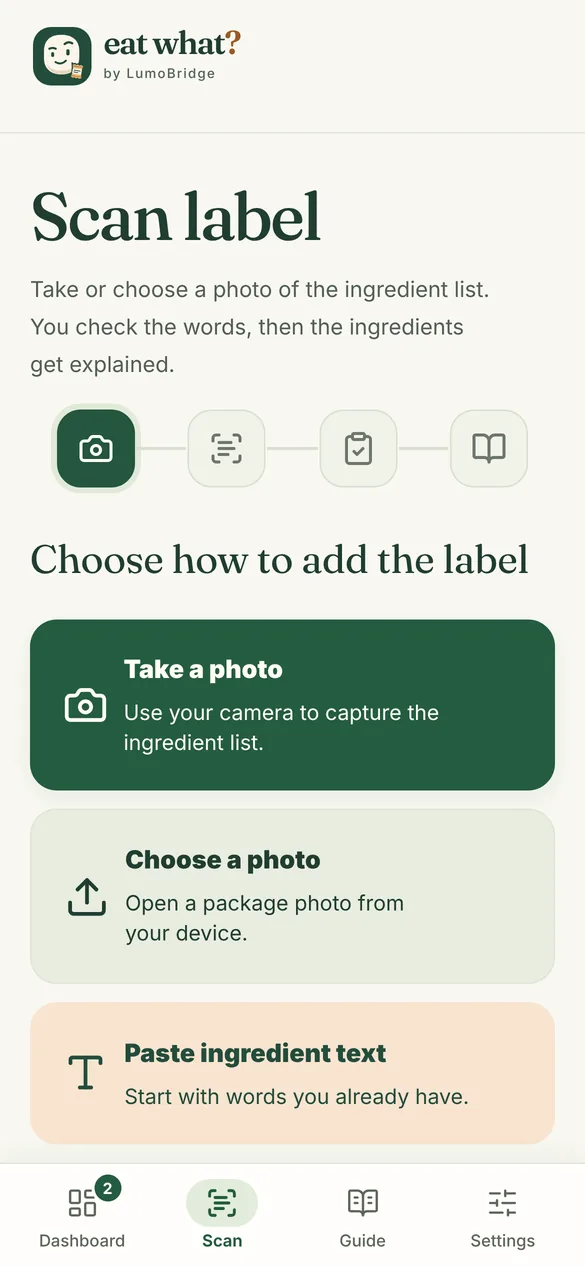
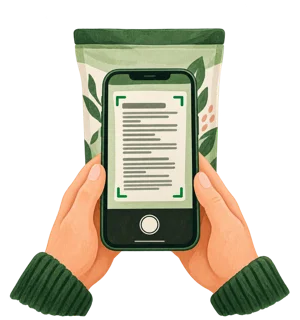
  1. Eat What? screen with three ways to add a label: Take a photo, Choose a photo, or Paste ingredient text

    Take a photo

    Point your phone at the ingredient list, or choose a photo you already took. You can also paste the words.

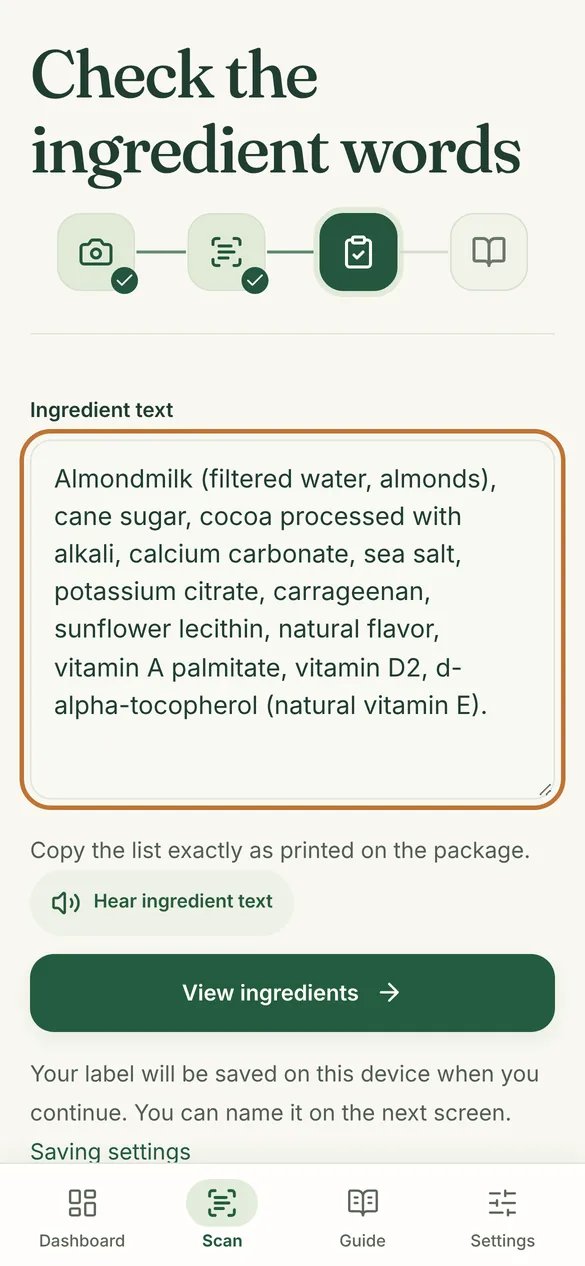
  2. The Check the ingredient words screen, showing the text Eat What? read from a chocolate almond milk label

    Check the words

    Eat What? shows the words it read. Fix anything that looks wrong first, so every explanation starts from what is printed on your package.

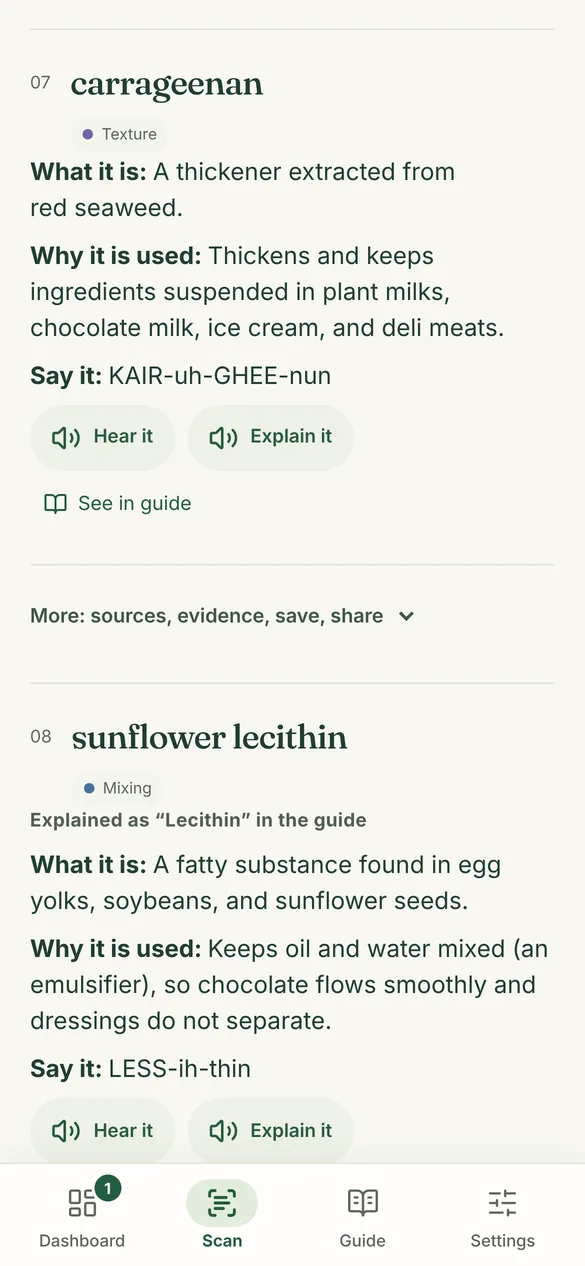
  3. Carrageenan explained in Eat What?: what it is, why it is used, and how to say it

    See what each one is

    Each ingredient in the guide gets what it is, why it is used, how to say it, and its source. The label saves to My labels.

A real answer

One chocolate almond milk label, explained.

Three of the twelve ingredients on an example label, word for word as Eat What? explains them.

Ingredient text

Almondmilk (filtered water, almonds), cane sugar, cocoa processed with alkali, calcium carbonate, sea salt, potassium citrate, carrageenan, sunflower lecithin, natural flavor, vitamin A palmitate, vitamin D2, d-alpha-tocopherol (natural vitamin E)

The example label. The three marked words are explained here.

Cocoa processed with alkali Flavor

Explained as “Cocoa” in the guide

What it is: Ground, roasted cacao beans with most of the fat removed. “Processed with alkali” means treated to be darker and less bitter.

Why it is used: Adds chocolate flavor and color.

Source: FDA · Types of food ingredients
Carrageenan Texture

What it is: A thickener extracted from red seaweed.

Why it is used: Thickens and keeps ingredients suspended in plant milks, chocolate milk, ice cream, and deli meats.

Say it: KAIR-uh-GHEE-nun

Source: FDA · Types of food ingredients
Vitamin D2 Nutrients

Explained as “Ergocalciferol” in the guide

What it is: Vitamin D2, a plant and fungus form of vitamin D, often made from yeast or mushrooms.

Why it is used: Adds vitamin D, often chosen for vegan products.

Source: NIH Office of Dietary Supplements · Vitamin D

Also included

What every ingredient does, and a dashboard for all your labels.

Every ingredient shows the job it does in food. Every label you check adds to your dashboard.

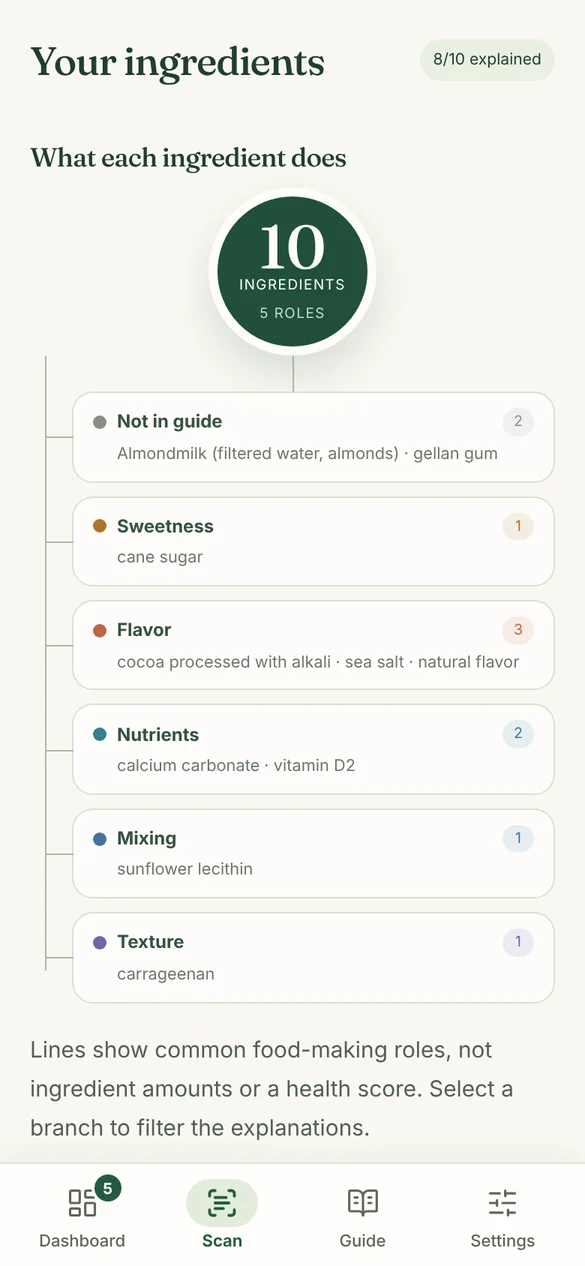
What each ingredient does, for a sample chocolate almond milk label: 10 ingredients in 5 roles, such as Flavor, Nutrients, and Texture, with the ingredients listed under each role
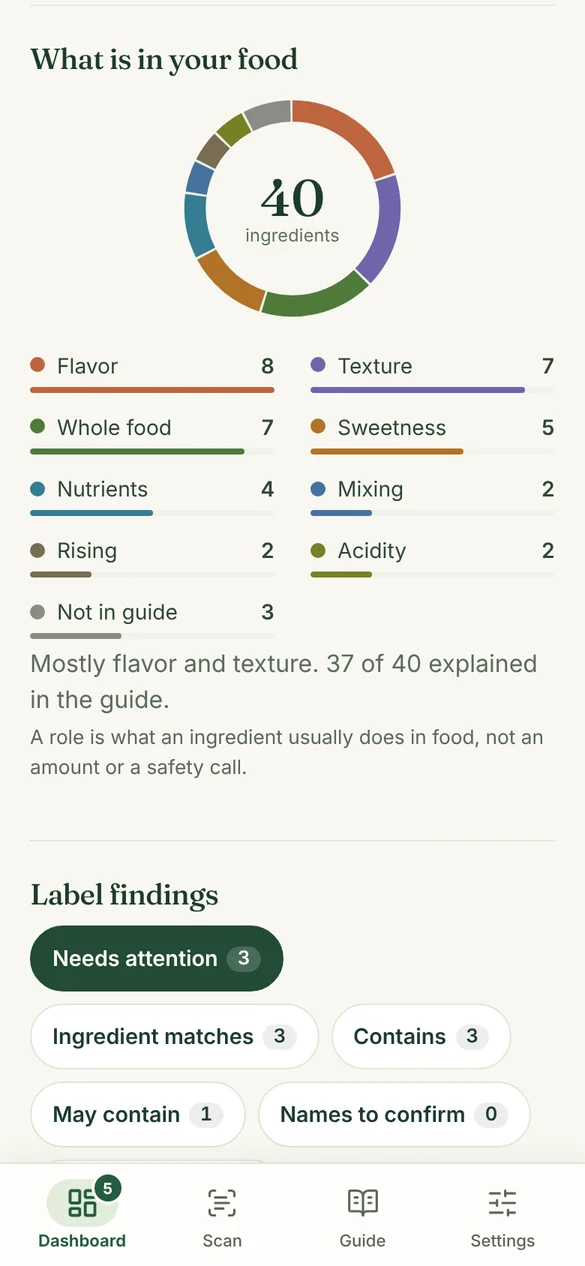
The Eat What? dashboard with five sample labels: 40 ingredients in a ring chart by role, mostly flavor and texture
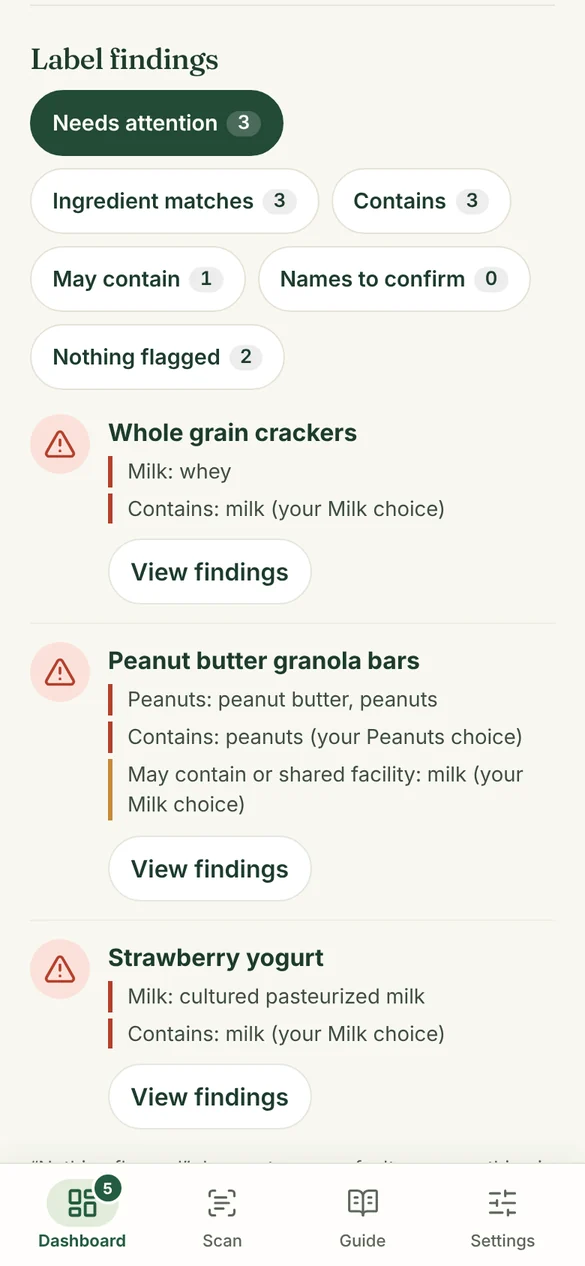
Label findings on the dashboard: sample labels that need attention, with the ingredient and the Contains line that match the Milk and Peanuts choices
  • On every label

    See the role each ingredient plays: sweetness, texture, flavor, freshness, and more. Tap a role to see which ingredients do that job.

  • Your dashboard

    Your dashboard adds up every label you saved: how many ingredients, and the roles they play across everything you buy.

  • Your dashboard

    See which saved labels match the allergies and diets you chose, including “Contains” and “May contain” lines, and which names to confirm.

A role is what an ingredient usually does in food, not an amount or a health score. Findings point out what to check. They never say a food is safe. Screens show sample labels.

Read aloud

Hear the label instead of squinting at it.

Use Listen to this label to hear the whole ingredient list. Tap Hear it to learn how to say a name, or Explain it to hear what one ingredient is.

Eat What? uses your device's own voice, and you can turn on larger text in Settings.

Your food concerns

Shopping for someone with an allergy or a diet?

Choose what Eat What? should point out. It looks for those names in the words you checked, including the package's “Contains” line.

Choose one to see what Eat What? would point out on the sample label.

Sample label

Peanut butter granola bars

Ingredients: whole grain oats, peanut butter, brown sugar, peanuts, sunflower oil, whey, salt, natural flavor.

Contains: peanuts.

May contain or shared facility: milk.

It can miss an ingredient, so no match does not mean a food is safe or free of an allergen. Always read the package.

The ingredient guide

281 common ingredients, each with its source.

The guide groups ingredients by the job they do in food, such as sweetness, texture, flavor, color, and freshness. Each one links to the page it came from, most often the FDA, USDA, or NIH.

If a word is not in the guide, Eat What? says so and helps you look it up in public sources. It does not make up a meaning for a word it has not checked.

When a photo is not clear

It asks for a better photo instead of guessing.

Eat What? checks what it read. If something looks off, it tells you what to change.

  • Illustration of a food package standing in bright window light

    Glare on the words

    “Tilt the package away from the light, then take the photo again.”

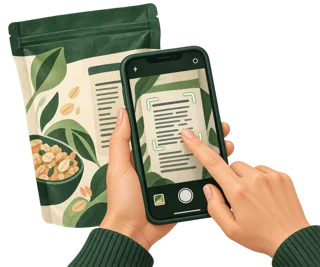
  • Illustration of hands holding a phone so the ingredient list fills the frame

    Part of the list out of view

    “Turn the package and snap the next part.”

  • Illustration of a finger tapping a phone screen to focus on an ingredient list

    Words too small

    “Move in so the ingredients fill the screen, with every line showing.”

My labels

Your labels stay on your device.

Every label you check saves to My labels on your device, so you can find that cereal again next week. Back them up to a file, or delete them all from Settings.

Illustration of a woman relaxing at a table with a sleeping cat and an Eat What? mug

Good to know

What Eat What? does not do.

  • It does not tell you whether a food is safe for you.
  • It is not medical, allergy, or dietary advice.
  • It reads English ingredient lists for now.
  • It can misread a word, which is why you check the words first.

Price and availability

$29.99 a year

  • Scan or paste any ingredient list
  • What each ingredient is and does
  • Your dashboard
  • My labels, saved on your device
  • The 281-ingredient guide
  • Read aloud
  • Matches for the allergies and diets you choose

Available now on the web, in your browser on your phone or computer. $29.99 a year, renewing every year until you cancel. You will see the terms before you pay.

App Store and Google Play versions: coming soon.

Get Eat What?

Common questions

Quick answers.

What does Eat What? cost?

Eat What? costs $29.99 a year. The plan renews every year until you cancel. You will see the terms before you pay.

Does Eat What? tell me if a food is safe for me?

No. Eat What? explains what each ingredient is and why it is used. It does not tell you whether a food is safe for you, and it is not medical, allergy, or dietary advice. Always check the package itself.

Are my photos uploaded?

No. Eat What? reads the photo in your browser, on your device. Your photos and saved labels stay on your device unless you choose to share them.

Does it work without a signal?

Yes, after your first scan. Eat What? keeps its pages and reading files in your browser, so a weak signal in the store does not stop a scan. Add it to your home screen from your browser to keep it one tap away.

Which labels can it read?

English ingredient lists for now. If a photo is unclear or cut off, Eat What? asks for another photo, or you can type the words.

What does the dashboard show?

All your saved labels in one place: how many you saved, which ones need a second look for the allergies and diets you chose, any “Contains” or “May contain” lines that name them, your favorites, and the roles of all their ingredients. It points out what to check. It never says a food is safe.

Is Eat What? in the App Store or Google Play?

Not yet. Eat What? is available now as a web app: open eatwhat.lumobridge.com in Safari or Chrome on your phone, tablet, or computer, with nothing to download. App Store and Google Play versions are coming soon.

When can I get it?

Now. Eat What? runs in your web browser on your phone or computer. Get it at eatwhat.lumobridge.com for $29.99 a year.

See all LumoBridge products