 Business Analytics Pro

DepositCase by LumoBridge
Keep clear rental records. Answer deposit charges.
DepositCase helps renters keep the lease, photos, messages, and deposit details for a rental in one place. When the landlord sends deposit charges, you can review each one and answer in writing.
Available now · Free during its first launch
Works in the web browser on phones and computers. In English and Spanish. No account needed.
What you can do
Your rental, from move-in to the deposit return.
Save evidence
Add photos and videos of the rental. DepositCase keeps each file unchanged and saves its SHA-256 fingerprint, so you can see later that the saved copy has not changed.
Review each charge
Go through the landlord’s deposit charges one at a time, and note your answer to each one.
Write letters
Choose from 6 letter types. Then turn your message into a signed formal letter as a PDF, and send it yourself.
Prepare for small claims
Use the small claims kit: a checklist built from your rental records, with links to official court websites.
Check state deposit rules
Read summaries for all 50 states and DC, each with a link to the official law. Each summary is labeled “Not reviewed by a lawyer.”
Keep a backup
Download an encrypted backup of your records, and keep it somewhere separate from your device.
Privacy
Your records stay on your device.
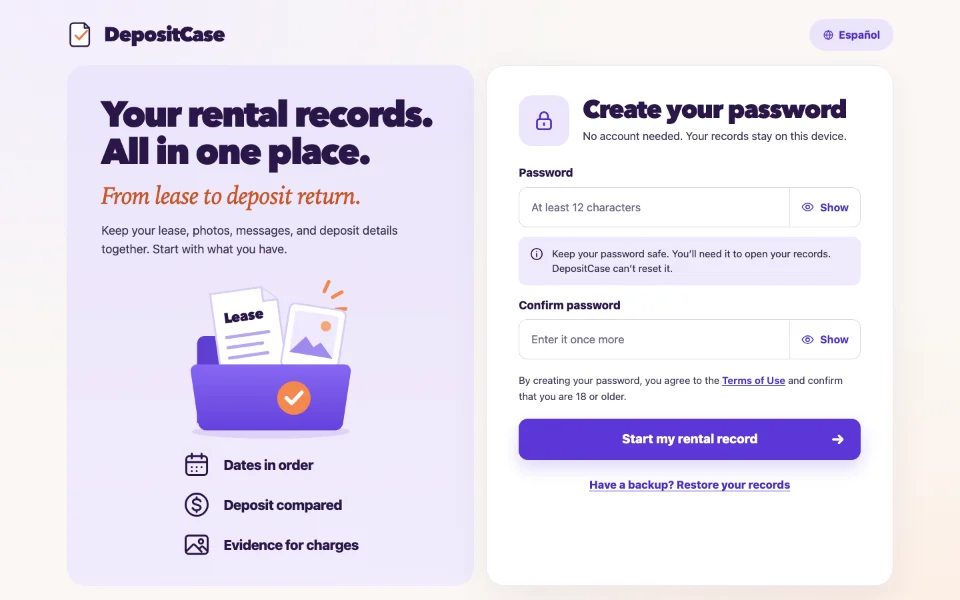
DepositCase needs no account. You create a password, and your records are encrypted on your device with it. LumoBridge never receives your records.
- Keep your password safe. DepositCase cannot reset it, and we cannot open your records without it.
- DepositCase works offline after your first visit.
- Clearing your browser’s site data can remove your records. An encrypted backup gives you a second copy.
How to start
Start with what you have.
You do not need every document on the first day. Add more as your rental goes on.
Open DepositCase
Go to depositcase.lumobridge.com on your phone or computer.
Create a password
Your password protects your records on this device.
Add your rental
Add your lease, photos, messages, and deposit details.
What it does not do
Know the limits.
DepositCase gives general information and tools. It is not a substitute for the advice of an attorney.
- It does not decide who is right in a deposit dispute, and it cannot promise any result.
- The state rule summaries are not reviewed by a lawyer. Check the official law link for your state.
Common questions
Quick answers.
What does DepositCase cost?
DepositCase is free during its first launch.
Do I need an account?
No. You create a password on your device. There is no account and no sign-in.
Which devices and languages does it support?
DepositCase runs in the web browser on phones and computers. It is available in English and Spanish.
What if I forget my password?
DepositCase cannot reset your password, and we cannot open your records without it. Keep it somewhere safe.
Is DepositCase legal advice?
No. DepositCase gives general information and tools. It is not a substitute for the advice of an attorney.
DepositCase
Start your rental record.
Open DepositCase in your browser and create a password to begin.
Open DepositCaseQuestions? Email support@lumobridge.com.